
while i run the container its not opening… running port says not found…
logs: _browsertrix-crawler-main-crawler-run-f3d542abdfe3_logs - Google Docs
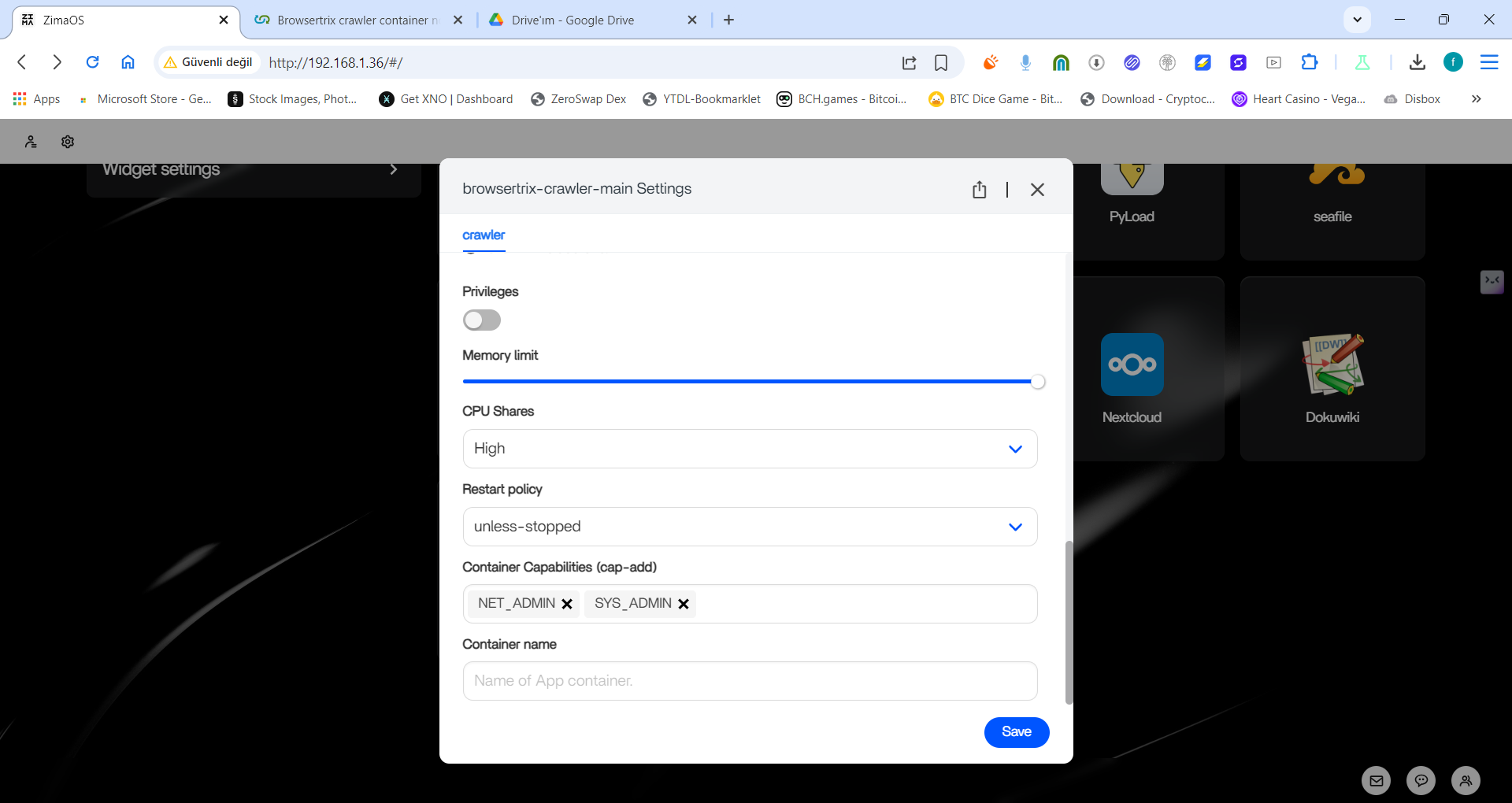
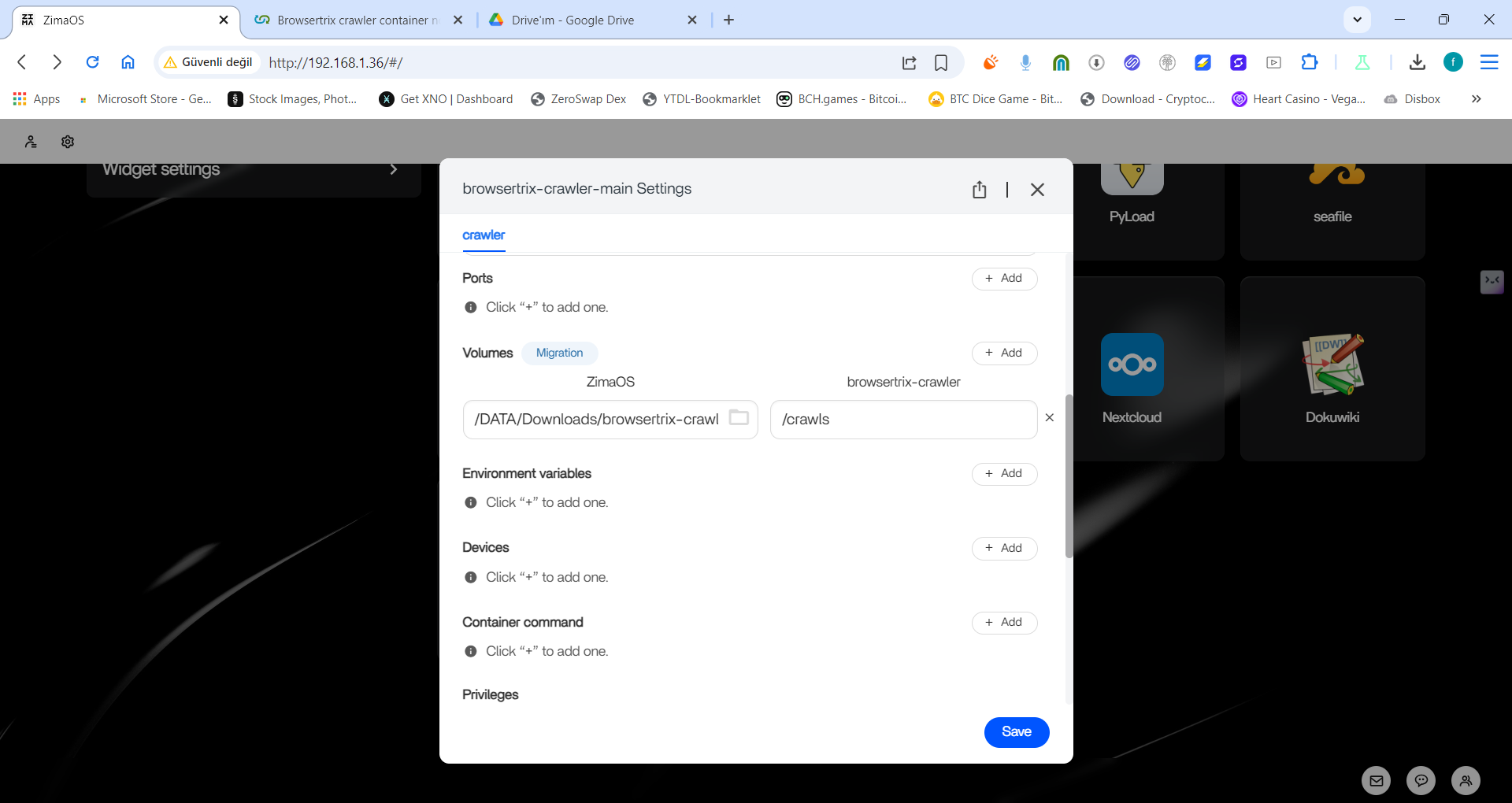
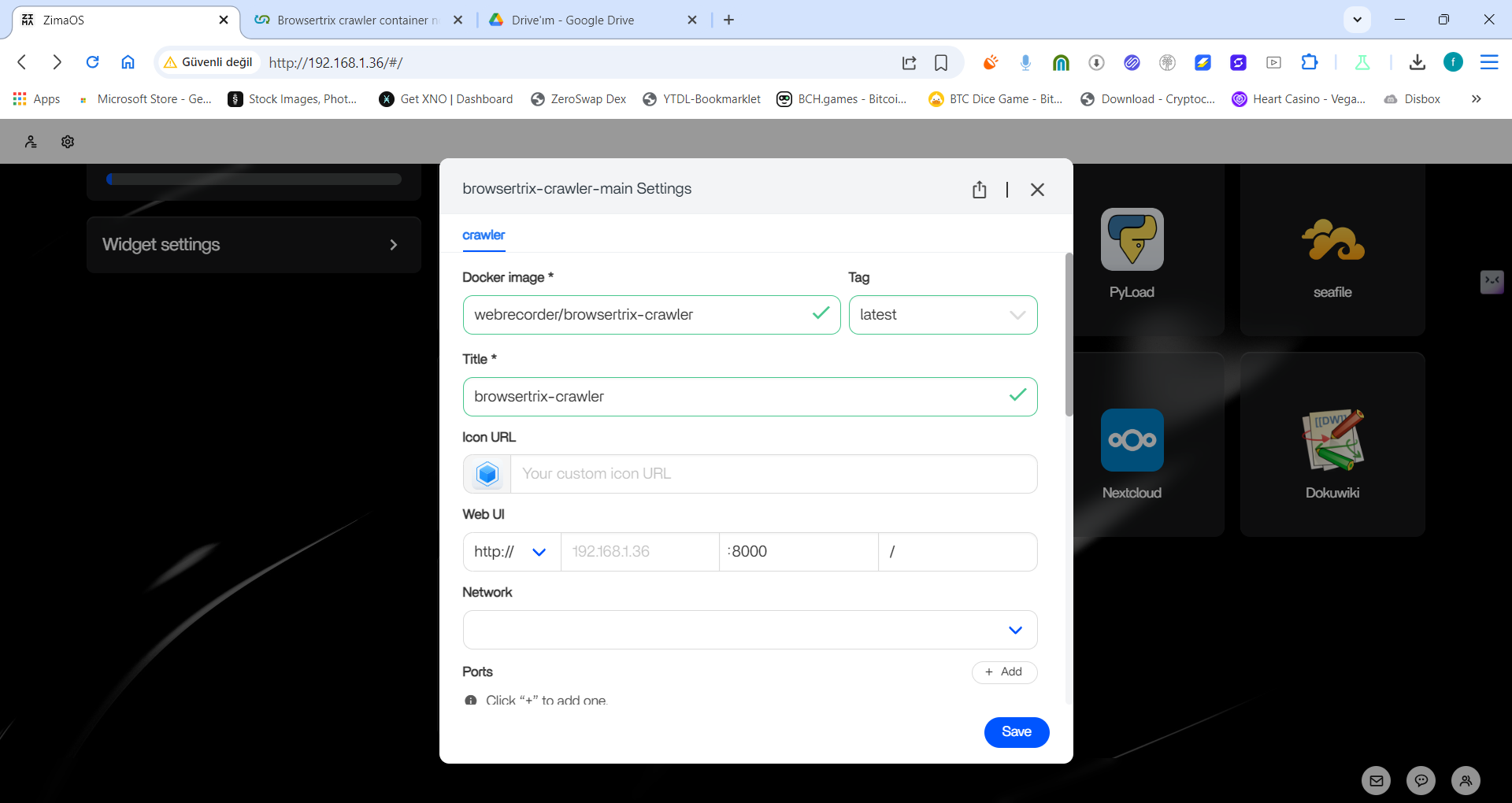
here is container configuration
From the logs, it appears the container is not able to start the browser, or has network connectivity issues. There isn’t anything configured to use port 8000 either. We’re not familiar with this deployment environment and don’t have resource to provide more assistance, unfortunately. If you’d like to try a cloud-hosted Browsertrix with a user-interface, we offer our service at Browsertrix • Webrecorder and you can sign-up for a 7-day trial.
I can add that: at a baseline, you will need about 1GB of RAM, and about 1 cpu to run 1 browser worker, anything less will probably have the browser crash. It’s not quite clear what that’s configured to, but CPU shares would need to be about 1 CPU.
the gui i used: ZimaOS: A Simplified, Focused and Open NAS OS Supports all X86-64 hardware. inside vm on windows host (its docker gui)
can you give me working docker compose or docker run command?
The full Browsertrix application doesn’t run on Docker Compose, it requires Kubernetes. You can take a look at our local deployment documentation here to get a sense of what that might involve: Local Deployment - Browsertrix Docs .
The crawler alone without the GUI and its added functionality such as collections can be run in a single Docker container: Browsertrix Crawler User Guide - Browsertrix Crawler Docs
You might want to look at using the Kubernetes support in Docker Desktop, which I believe is available on Windows.