Unable to replay when using custom S3 storage

I’m trying to use an S3 storage provider instead of Minio.

Running Browsertrix 1.19.0, with the following custom chart values:

# disable minio as we are using scality instead
minio_local: false

storages:
  - name: "default"
    type: "s3"
    access_key: "<access key>"
    secret_key: "<secret key>"

    endpoint_url: "https://<s3_compatible_endpoint>/bdlss-browsertrix/data/"
    is_default_primary: true

I can run a crawl successfully, no errors in the log file.
But, I can’t replay the captured WACZ from the frontend.

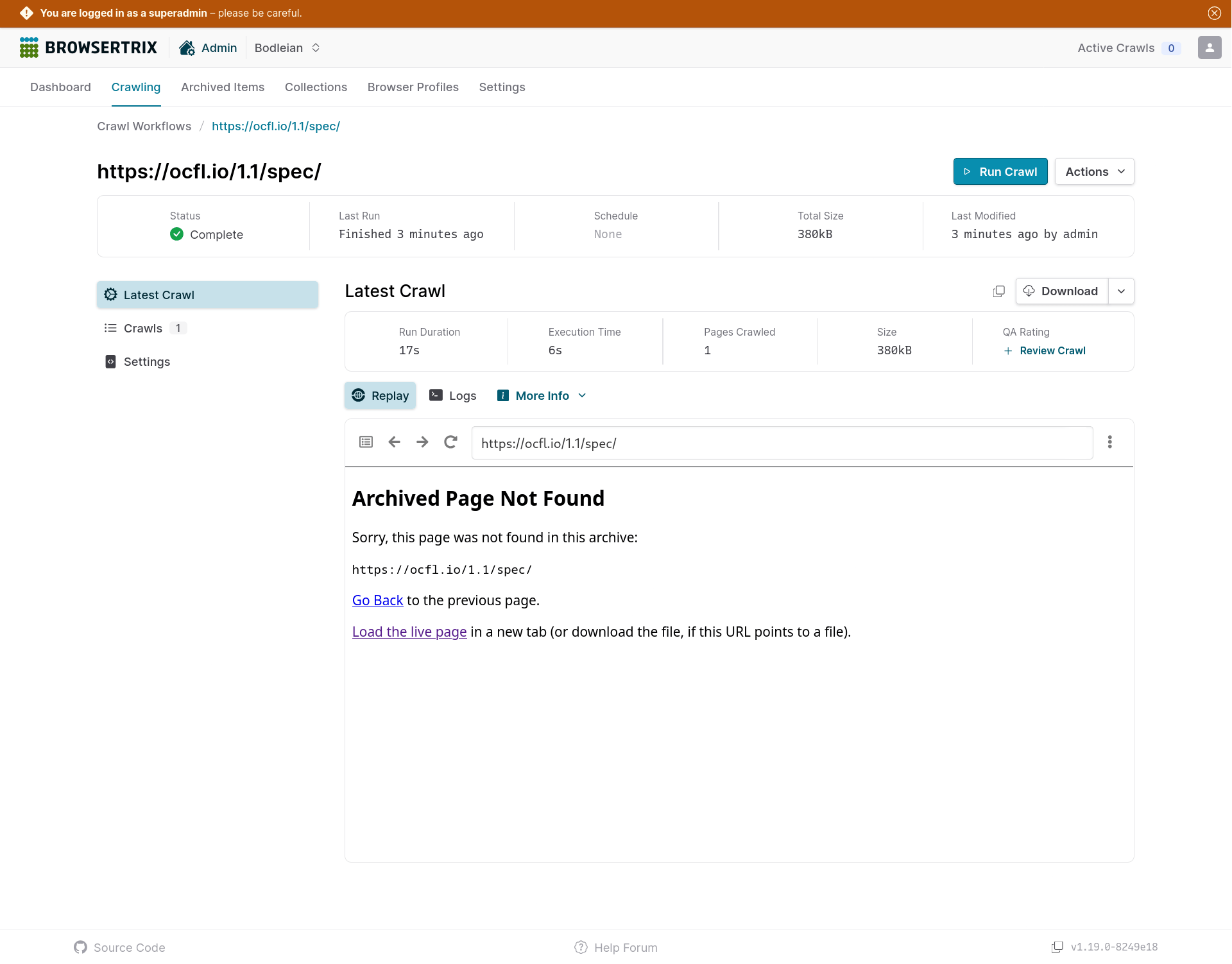
Looking in the browser console, I get a 404 response for https://browsertrix-dev.bodleian.ox.ac.uk/replay/w/manual-20250915110801-73dd3dc8-49c/mp_/https://ocfl.io/1.1/spec/ and sure enough if I visit that url I get the ‘archive-not-found’ response.

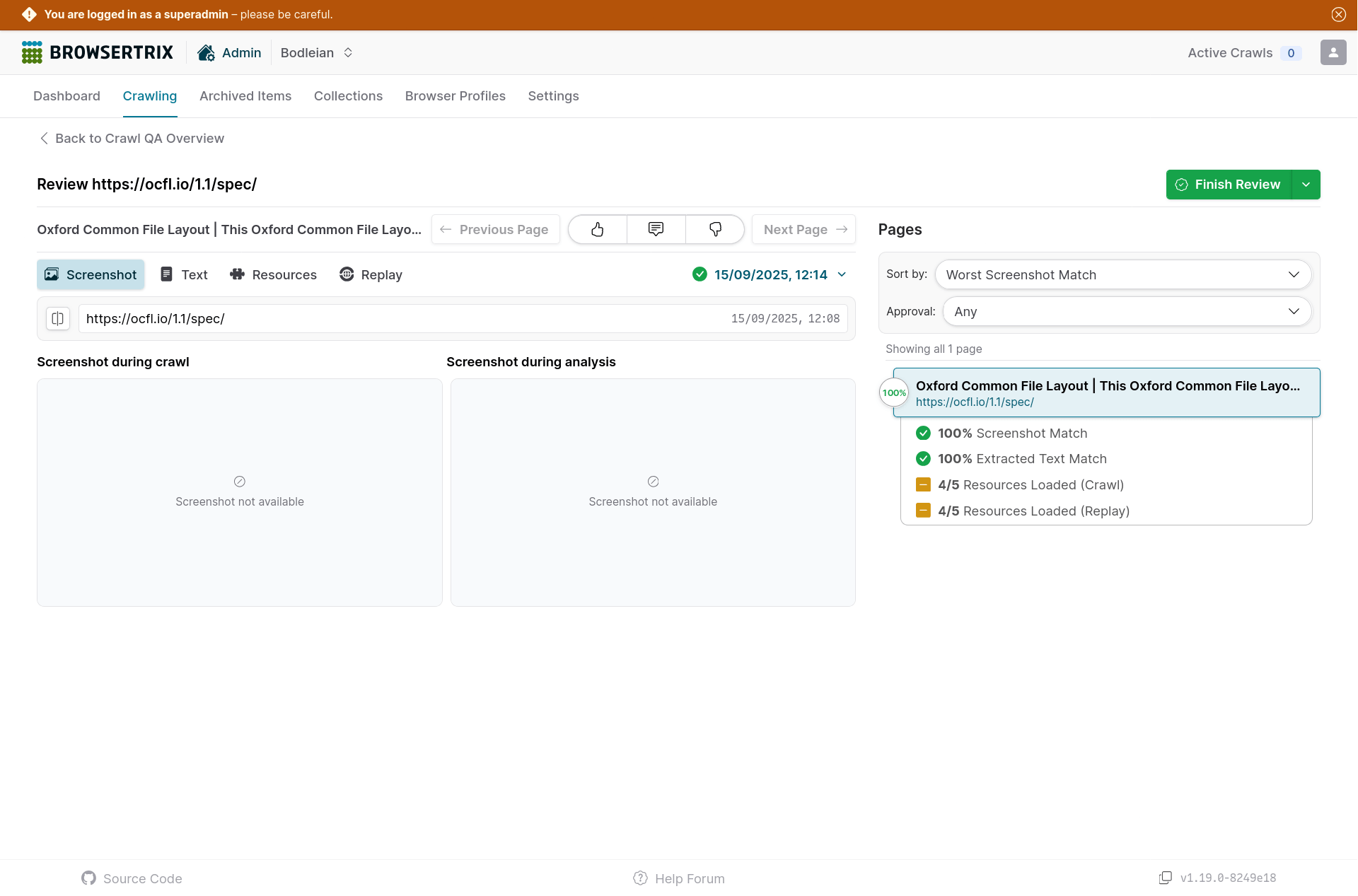
QA analysis runs successfully, but the web interface doesn’t display anything in the screenshot, text, resources and replay tabs.

I can download the WACZ through the frontend, and verify with the AWS CLI that the WACZ file has definitely been saved to object storage. The downloaded WACZ replays fine when uploaded to replayweb.page directly.

I suspect the replay web component isn’t picking up the right storage endpoint.
Is there any way to get information/logs out of the replay component to see what’s going on?

I see replayweb is trying to load from

https://browsertrix-dev.bodleian.ox.ac.uk/api/orgs/29269f5e-c184-4ed2-bd4d-89e1a743deb0/crawls/manual-20250915115549-8883642e-b1f/replay.json

And, that returns

{"detail":"Not Found"}

With a 404 code.

The /replay.json should be served from the normal API endpoint, that does not change with the storage. It’s a 404 unless the proper Authorization token is passed in, so that’s as expected (otherwise the replay would be public).

Are there any other errors that you see? Perhaps anything related to CORS issues, or anything like that in the browser console.log or network logs? That’s often a case for replay not working while the WACZ is downloadable.
If you look at the network log, you should see it trying to read from the .wacz files.

Thanks Ilya,

I rolled back to using the MinIO service, and replay worked again.

In an attempt to narrow down the problem I’ve tested it with a ‘normal’ S3 bucket from AWS (not Scality S3-compatible storage), but it’s the same problem.

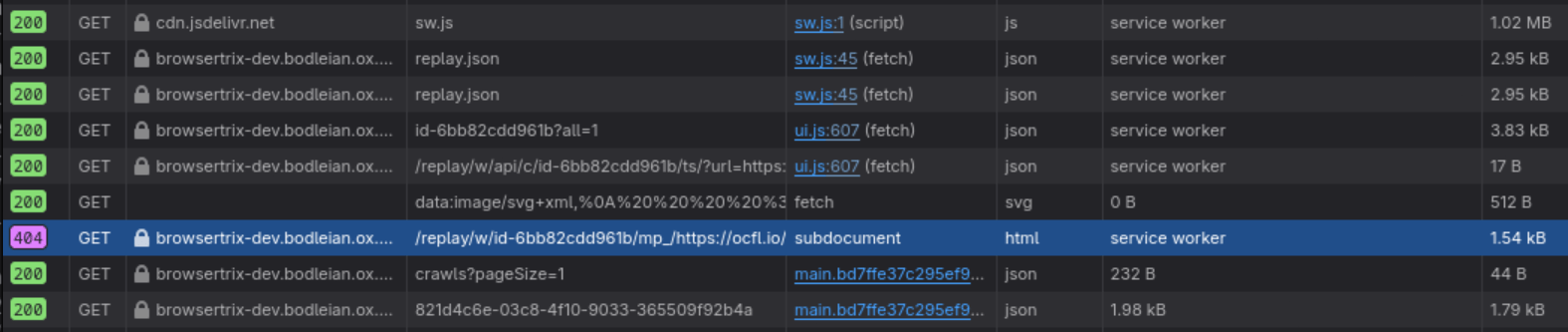
In the network log on Firefox I’ve got a 404 for https://browsertrix-dev.bodleian.ox.ac.uk/replay/w/id-6bb82cdd961b/mp_/https://ocfl.io/

These are the headers being sent for that request:

GET /replay/w/id-6bb82cdd961b/mp_/https://ocfl.io/ HTTP/1.1
Host: browsertrix-dev.bodleian.ox.ac.uk
User-Agent: Mozilla/5.0 (X11; Linux x86_64; rv:143.0) Gecko/20100101 Firefox/143.0
Accept: text/html,application/xhtml+xml,application/xml;q=0.9,*/*;q=0.8
Accept-Language: en-GB,en;q=0.5
Accept-Encoding: gzip, deflate, br, zstd
Referer: https://browsertrix-dev.bodleian.ox.ac.uk/replay/?source=https%3A%2F%2Fbrowsertrix-dev.bodleian.ox.ac.uk%2Fapi%2Forgs%2F29269f5e-c184-4ed2-bd4d-89e1a743deb0%2Fcrawls%2Fmanual-20250919142145-821d4c6e-03c%2Freplay.json&customColl=&config=%7B%22headers%22%3A%7B%22Authorization%22%3A%22Bearer+eyJhbGciOiJIUzI1NiIsInR5cCI6IkpXVCJ9.eyJzdWIiOiI3Mjg5YWQxMy02YjFiLTQxMWUtYmViZC0wMjRjZTFhNDAyYTMiLCJhdWQiOiJidHJpeDphdXRoIiwiZXhwIjoxNzU4Mzc0MTYwfQ.8t6FMxfVe7qTl1TBTf2pQ8vEVZxSwt-O_WGSrIIXzXc%22%7D%7D&basePageUrl=https%3A%2F%2Fbrowsertrix-dev.bodleian.ox.ac.uk%2Forgs%2Fbodleian%2Fworkflows%2F821d4c6e-03c8-4f10-9033-365509f92b4a%2Flatest&baseUrlSourcePrefix=https%3A%2F%2Freplayweb.page%2F&embed=default&noCache=1
Sec-GPC: 1
Upgrade-Insecure-Requests: 1
Sec-Fetch-Dest: iframe
Sec-Fetch-Mode: navigate
Sec-Fetch-Site: same-origin
Connection: keep-alive
Cookie: _ga_TR7RPGVC50=GS1.1.1736343270.1.0.1736343273.0.0.0; _ga_NB52W6G19T=GS1.1.1736343275.1.1.1736344222.0.0.0; _ga=GA1.1.1595394632.1736343275; Ecp_ClientId=g250222021100014770

I’m not getting any CORS errors, but I can see that request doesn’t have an authorization token in the header.

I’m seeing some 401 errors in the backend pod logs, definitely an authorization issue.

10.1.64.163:45488 - "GET /api/orgs/29269f5e-c184-4ed2-bd4d-89e1a743deb0/crawls/manual-20250915095704-55fa4832-402/replay.json HTTP/1.1" 401
10.1.64.163:45488 - "GET /api/orgs/29269f5e-c184-4ed2-bd4d-89e1a743deb0/crawls/manual-20250919145702-821d4c6e-03c/replay.json HTTP/1.1" 200
10.1.64.163:45492 - "GET /api/orgs/cc3a8aa9-d3c3-47fb-8650-f0ce5af6ddc9/crawls/manual-20250716131725-8b8747a2-064/replay.json HTTP/1.1" 401

Sorry that you’re still having issues with this.
I think these are probably unrelated: the /replay.json should not have anything to do with the storage configuration, Browsertrix checks old replay endpoints in the service worker and removes the ones that are failing (which may be confusing).
The /replay/w/ endpoint is going to the service worker and would not have an auth token.

With the custom S3 configuration enabled, can you test the replay in Chrome, and look for the network requests for the .wacz file loading (filter for .wacz), to see if any errors pop up there? (I think it may be better at reporting CORS or other errors like this)
I think it may be better at reporting CORS or other errors like this

That was really helpful, I checked it in Chromium and immediately spotted the CORS error in the browser console!

I’ve added the sample configuration from the replayweb.page docs and now replay works without issue. Thanks for the advice :slight_smile:

1 Like